On this page
A data processing agreement that promises erasure within 30 days is easy to sign and easy to believe you meet. The person’s rows are deleted, a query for them returns nothing, the ticket is closed. On a table format that keeps its history, that query only asks the current version.
I followed one user’s rows through a Delta table on Databricks, step by step, to the point where no version of the table could return them. It is the erasure criterion of a platform proof of concept for a fictional SaaS client, in data-platform-architecture.
Operating rule. An erasure on a Delta table is a timeline, not a statement: DELETE by key, REORG TABLE … APPLY (PURGE), then VACUUM once the table’s deleted-file retention has passed. Schedule it as a job, prove it with a time-travel query that is refused, and set the retention from both the erasure commitment and the restore window you need.
The test
A Delta table of 5,000 events for 50 users, with deletion vectors, on a Databricks SQL warehouse (Databricks SQL 2026.39, Free Edition). In this workspace, tables created without asking for them had deletion vectors switched on. User 7 has 100 rows. After each step, two questions: how many of the user’s rows does the current table return, and how many does time travel to the version before the delete return?
Step by step
| Step | Current table | Time travel to before the delete |
|---|---|---|
| Before | 100 | |
DELETE FROM t WHERE user_id = 7: 8 deletion vectors written, 0 files rewritten |
0 | 100 |
REORG TABLE t APPLY (PURGE): 8 files rewritten without the rows |
0 | 100 |
VACUUM t RETAIN 0 HOURS |
refused: DELTA_VACUUM_RETENTION_PERIOD_TOO_SHORT |
|
VACUUM t at the default retention (7 days) |
0 | 100 |
VACUUM t after the table’s retention (set to 1 hour for the test) had passed |
0 | refused: DELTA_UNSUPPORTED_TIME_TRAVEL_BEYOND_DELETED_FILE_RETENTION_DURATION |
What each step did
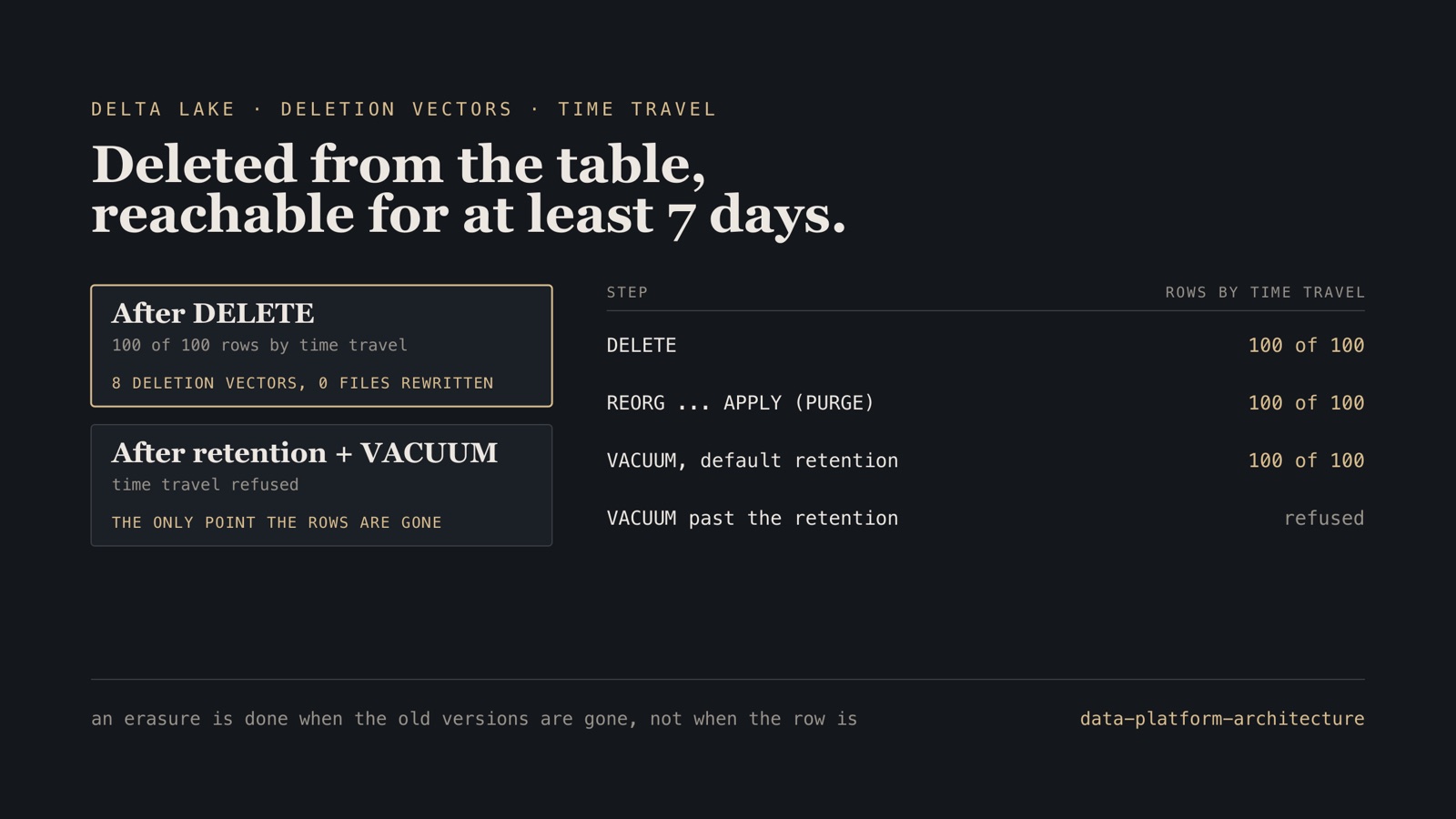
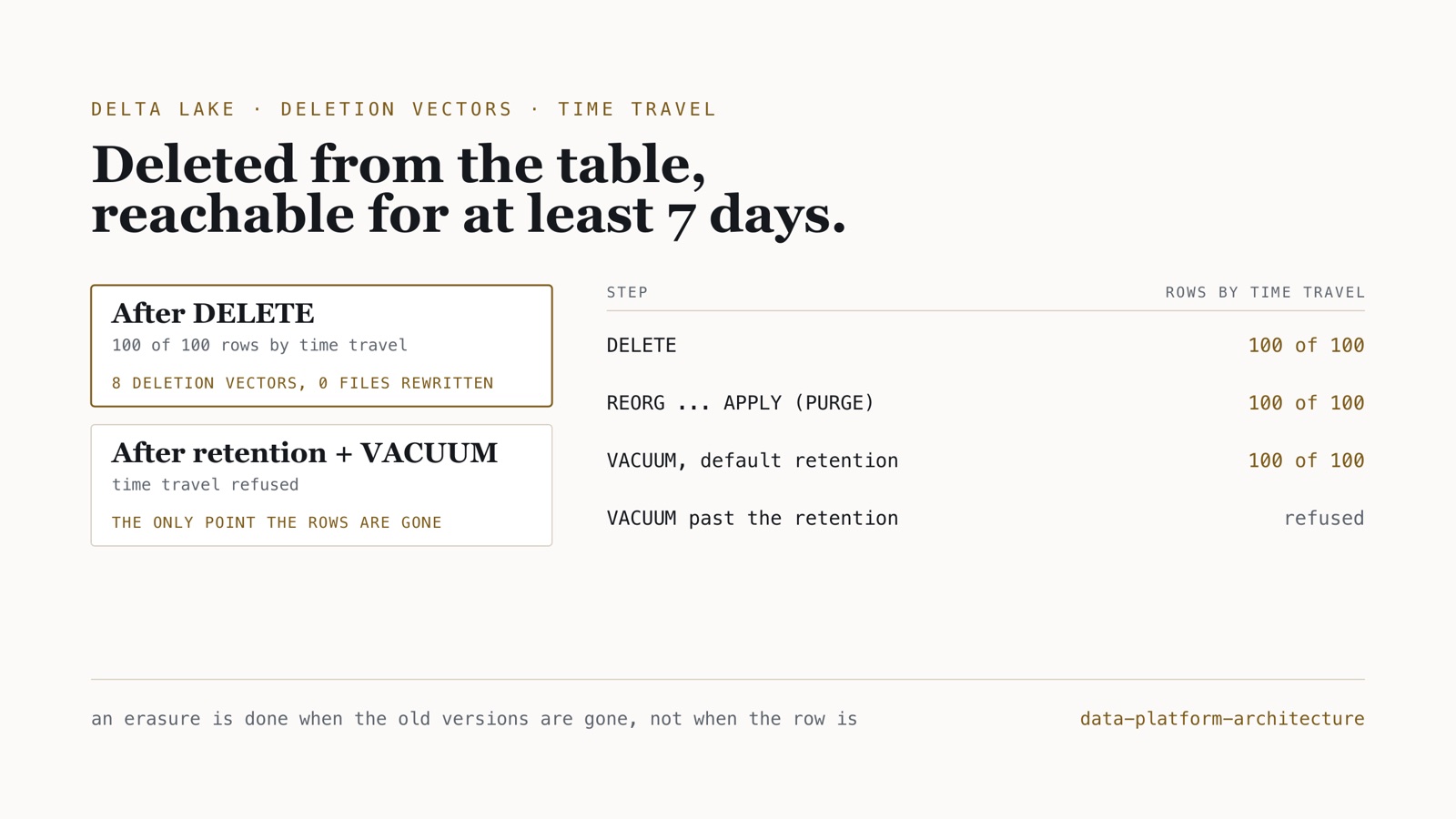
DELETE rewrote nothing. With deletion vectors, Delta records which rows of a file are deleted instead of rewriting the file. That makes deletes cheap, and it means the user’s rows were still in the same data files, bit for bit, marked as gone. Every earlier version of the table pointed at those files and returned all 100 rows.
The purge rewrote the files; the history kept the old ones. REORG TABLE … APPLY (PURGE) wrote new files without the deleted rows, and the current version now points at them. The old files were still referenced by the earlier versions, so time travel still returned the rows.
VACUUM respects the retention. It removes files the current version no longer uses, but only once they are older than the table’s deleted-file retention, 7 days by default. Run straight away, it removed nothing time travel used. Asked to keep zero hours, it refused: a shorter retention than the table’s setting needs a safety check switched off, which is not something an erasure job should do.
Only after the retention, the rows were gone. With the table’s delta.deletedFileRetentionDuration set to one hour for the test, a VACUUM after that hour removed the old files, and Databricks refused time travel to the version before the delete. That refusal is the proof an erasure needs.
An erasure job that finishes
- Weekly: delete every pending request by key in every table that holds personal data, then
REORG TABLE … APPLY (PURGE)each of those tables. - Daily:
VACUUM, which removes the files a purge left as soon as they are past the 7-day retention. Run weekly, it would meet them at exactly seven days, and might leave them another week. - Proof: a time-travel query to the version before each delete, which must be refused, stored with the request.
At the default retention that finishes within 15 days of a request (up to 7 to the weekly run, 7 of retention, 1 to the next daily VACUUM), inside a 30-day commitment, and keeps the 7-day restore window that recovering from a bad write needs. The retention is the lever between the two: shorten it and erasure is faster, but the window in which a mistaken overwrite can be undone shrinks with it. Raw files in volumes, exports and anything copied out of the table need their own deletion; the table’s history is only the copy people forget.
Boundary. One table, one user, Databricks SQL 2026.39 on Free Edition, a 1-hour retention set only to see the last step inside a day. Without deletion vectors a DELETE rewrites files, but the earlier versions still point at the old ones, so the timeline is the same. Measured since: on a UniForm table, the format the client’s design chose so other engines read it as Iceberg, Databricks refused deletion vectors outright; deleting the user’s rows rewrote all 8 files that held them, and time travel still returned all 100 until the retention passed and VACUUM ran. Snowflake, where permanent tables add 7 days of Fail-safe after Time Travel, is the other half of the proof of concept and not measured yet.
Checks for a right-to-erasure process on a lakehouse
- List every table and file location that holds personal data, including raw landings and exports.
- Delete by key, purge, and vacuum after the retention; do not stop at
DELETE. - Prove each erasure with a refused time-travel query, and keep the proof.
- Set
delta.deletedFileRetentionDurationfrom the erasure deadline and the restore window together, and write down the trade. - Never disable the retention safety check to make erasure faster; shorten the table’s retention instead.
Frequently asked questions
Does DELETE on a Delta table erase the data for GDPR?
No. On Databricks, a DELETE on a table with deletion vectors rewrote none of the data files: it marked the rows deleted. Every earlier version of the table still returned them by time travel: all 100 of the user’s rows, in the test. The rows are unrecoverable only after REORG … APPLY (PURGE) and a VACUUM run once the table’s deleted-file retention has passed.
Why does VACUUM not remove deleted data immediately?
VACUUM removes only files older than the table’s deleted-file retention, 7 days by default, so that readers and time travel inside that window keep working. VACUUM … RETAIN 0 HOURS was refused with DELTA_VACUUM_RETENTION_PERIOD_TOO_SHORT. Shortening the table’s delta.deletedFileRetentionDuration is the supported way to make erasure faster, at the cost of a shorter restore window.
How long does right-to-erasure take on Databricks?
With the default 7-day retention, a weekly job that deletes and purges with REORG … APPLY (PURGE), and VACUUM every day, a person’s rows are unrecoverable within 15 days, inside a 30-day commitment. Raw files, exports and other copies need their own deletion.
The runner and its results are in data-platform-architecture, with the rest of the proof of concept in its proof-of-concept document. More on Databricks.