On this page
“Put the reports on a read replica” is the standard first answer when analytics starts to hurt a product’s database. The replica has the same data, it is one setting on RDS, and the product’s primary is left alone. For short queries it works. For the reports a growing business actually runs, it trades one failure for another.
I measured both on a lab copy of a SaaS company’s database, as the current state for an architecture engagement: what reports on the primary do to the product, and what happens to the same reports on a streaming replica.
Operating rule. Treat a read replica as a copy of the product’s database, not as a reporting database. If long reports must run there for a while, choose the failure on purpose: cancelled reports by default, a replica that falls further behind with a longer delay, or held-back cleanup on the primary with hot_standby_feedback. Then build the reports somewhere designed for them.
The setup
A Postgres 17 primary and a streaming replica, each limited to 2 vCPU and 4 GB, holding the company’s tables at today’s scale: 6,000 accounts, 60,000 users and 90 days of product events, 31.5 million rows. The product’s request, a customer’s usage page, an update to the user’s last-seen time and an event insert, runs from pgbench at 12 a second: each request records one event, and 12 a second is about three times the company’s daily average of 350,000 events, a weekday peak. Two analysts run the BI tool’s four reports in turn: revenue by plan (0.4 s on the primary under that load), daily active users by plan over 90 days (62 s), the weekly event mix (90 s) and the top accounts of the last 30 days (24 s).
Each scenario ran for five minutes, after a forced checkpoint and with the replica caught up. The harness and every result are in data-platform-architecture.
Updated 19 October 2026: the first version of this article reported a run at 100 requests a second, each recording an event: 8.6 million events a day, about 25 times this company’s. A review caught it. Everything below is from the rerun at the company’s peak rate; the effects held, and the stress run’s figures (3 of 412 long reports finished; p95 93 to 794 ms) are still in the repository.
Reports on the primary
| The product’s requests, 12 a second | p50 | p95 | p99 | Over 100 ms |
|---|---|---|---|---|
| No reports running | 9.2 ms | 40 ms | 208 ms | 2.2% |
| Two analysts’ reports on the primary | 34.2 ms | 525 ms | 1,208 ms | 24.0% |
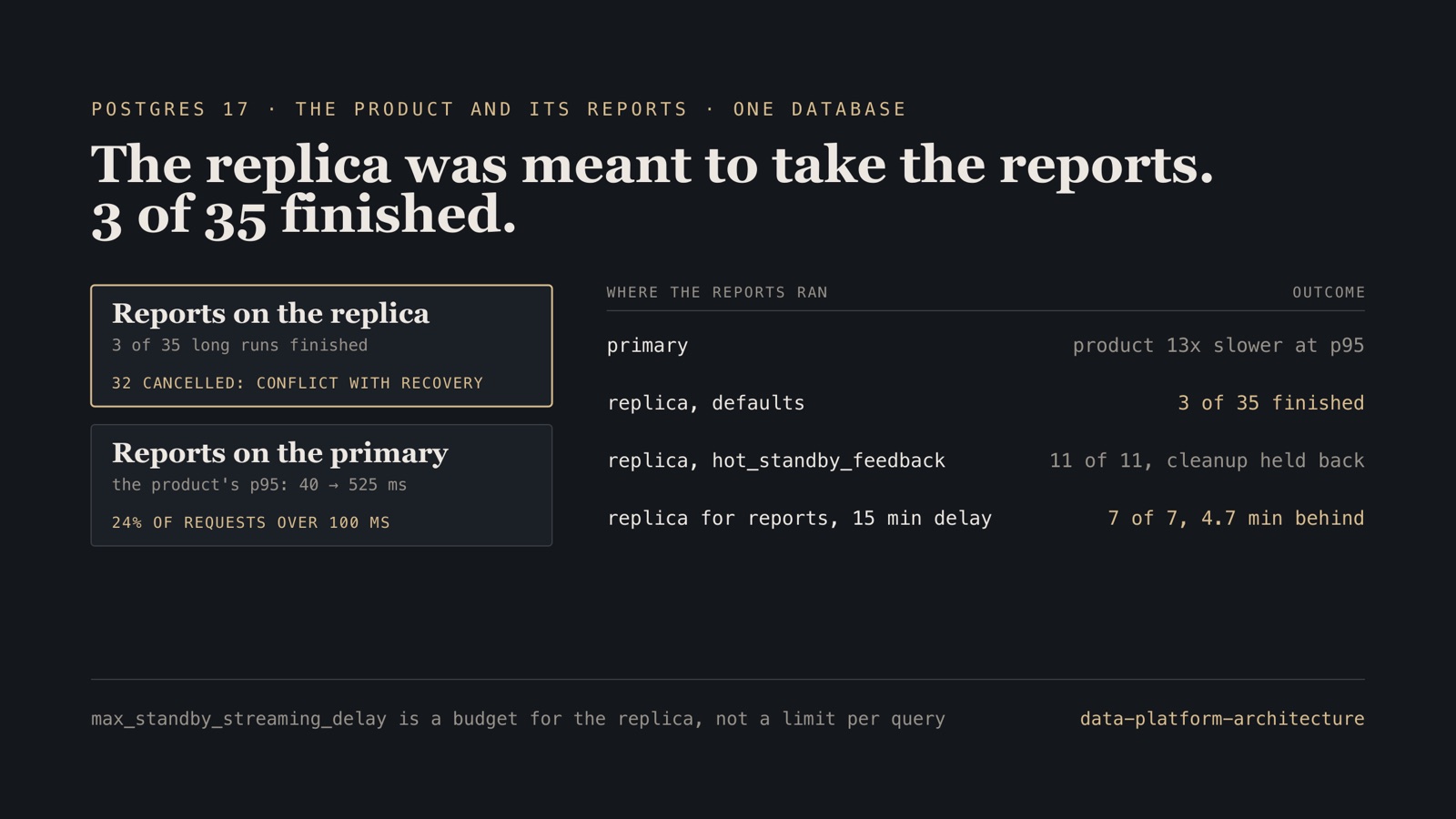
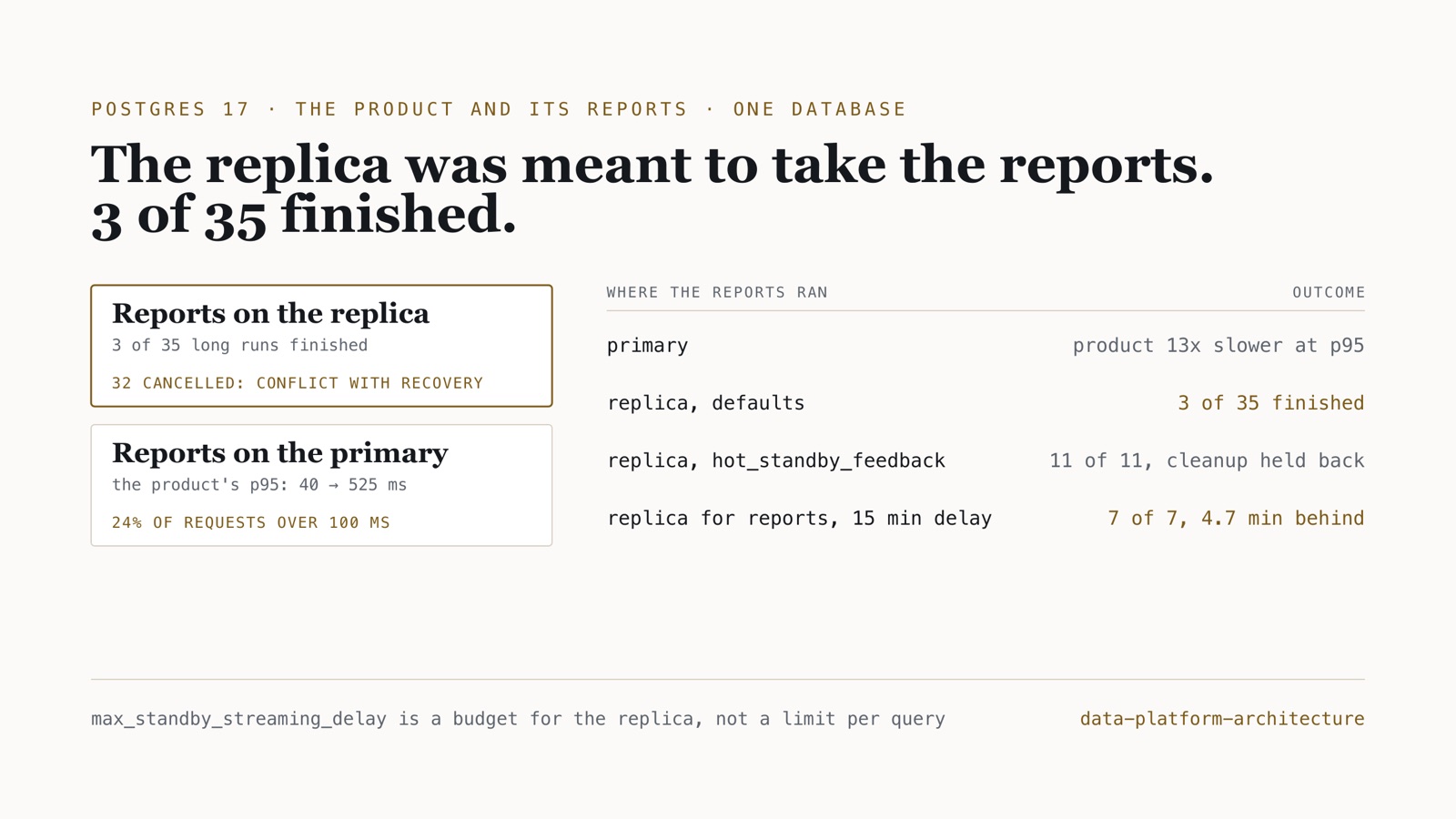
The reports read the whole events table. That pushes the product’s recent pages out of memory and takes its CPUs, and the product’s 95th-percentile request got 13 times slower. This is the month-end slowdown that sends reports to the replica in the first place.
Reports on the replica
| Reports on the replica | Runs | Finished | Cancelled |
|---|---|---|---|
| Daily active users, default settings | 12 | 0 | 12 |
| Weekly event mix, default settings | 12 | 0 | 12 |
| Top accounts, default settings | 11 | 3 | 8 |
| Revenue by plan (a fraction of a second), default settings | 12 | 8 | 4 |
Every report, hot_standby_feedback = on |
11 | 11 | 0 |
| Every report, a replica for reports alone with a 15-minute delay | 7 | 7 | 0 |
Every update on the primary leaves an old row version behind, and the primary’s cleanup removes old versions once no transaction on the primary needs them. The replica replays that cleanup. If a report on the replica is still reading a version the cleanup removes, the replay has to wait for the report or cancel it. After max_standby_streaming_delay, 30 seconds by default, it cancels: canceling statement due to conflict with recovery, SQLSTATE 40001. The product updates its users table on every request, so cleanup records arrive all the time, even at 12 a second.
The delay is a budget, not a timeout
With default settings the two analysts started 47 reports in five minutes and 36 were cancelled, most of them quickly: the median cancelled run lasted 2 seconds, and the revenue report, which takes a fraction of a second, was cancelled 4 times in 12.
That is what the setting means. The PostgreSQL documentation is explicit that max_standby_streaming_delay “is not the same as the maximum length of time a query can run before cancellation; rather it is the maximum total time allowed to apply WAL data once it has been received from the primary server. Thus, if one query has resulted in significant delay, subsequent conflicting queries will have much less grace time until the standby server has caught up again.”
One long report held replay back until the budget was spent. From then on, queries that conflicted with the next cleanup record were cancelled almost at once, until replay caught up, and the next long report started the cycle again. The replica spent the five minutes 13 seconds behind at the median and 59 at the worst. The analysts in the harness went straight on to the next report each time, as people re-running a dashboard do, and three long reports finished.
The three ways out, and what each costs
- Leave the defaults. Reports are cancelled, and the product is safe. Fine for short queries; for long reports it means dashboards that fail at random.
- Turn on
hot_standby_feedback. The replica tells the primary which row versions its queries still need, and the primary keeps them. Every report finished. The cost moves to the primary: cleanup of the product’s busiest tables waits for the longest report, and the documentation warns it “can cause database bloat on the primary for some workloads”. In five minutes theuserstable’s dead rows rose from 3,111 to 3,630; with hour-long reports it is an hour of the product’s cleanup held back, every time one runs. - Give the reports a replica of their own, and raise the delay. With
max_standby_streaming_delayat 15 minutes and feedback off, replay waits for a report instead of cancelling it. Every report finished, and the primary’s cleanup was not held back: its dead rows fell from 3,630 to 3,206 as autovacuum ran. The cost is lag: the replica fell up to 4.7 minutes behind, 2.4 at the median, while reports ran. That is harmless only if nothing else reads that replica: a replica that also serves the product’s reads would serve stale ones. A report that runs longer than the delay is still cancelled.
None of them makes a replica a reporting database. They choose which part of the system absorbs the conflict between a busy product and long reads of the same data.
What the client did
For the engagement’s client, the recommendation was the third, for at most three months: the replica serves reports and nothing else, with the delay raised to 15 minutes, because the product reads only the primary and reports need yesterday’s data, not this minute’s. Then a separate analytical platform fed by change data capture, where reports read their own copy and the product’s database only serves a replication slot. The case study has the rest: the options, the staged target and the decision records.
Boundary. Postgres 17.11 in Docker on one host, not RDS, with 2 vCPU and 4 GB per server. The primary and the replica share the host’s disk, so in the replica scenarios the product’s latency also rose, and reports ran slower on the delayed replica while it caught up; on separate machines neither would happen, and those figures are not used. Absolute latencies include the virtual disk’s flush times. The counts of finished and cancelled reports, and the comparison on the primary, are the results. One run per scenario, five minutes each, at the peak hour’s rate; the nightly purge of old events, which adds its own cleanup, was not part of it.
Before you point reports at a replica
- Time your longest reports. Anything near or above
max_standby_streaming_delaywill be cancelled under write load. - Count cancellations:
pg_stat_database_conflictson the replica, and SQLSTATE 40001 in the BI tool’s logs. - Watch the replica’s replay lag while reports run, not only its average.
- If you turn on
hot_standby_feedback, watch dead rows and table size on the primary’s most-updated tables, and know your longest report. - Do not give the product’s own reads and long reports the same replica; a replica for reports alone can afford a long delay.
- Plan the move: reports that grow with the business need a store built for them.
Frequently asked questions
Why does a Postgres read replica cancel long queries?
The primary cleans up old row versions, and the replica has to replay that cleanup. A query on the replica that still needs those versions blocks the replay. After max_standby_streaming_delay, 30 seconds by default, the replica cancels the query with “canceling statement due to conflict with recovery” (SQLSTATE 40001). In a test with the product writing at its peak rate, 12 requests a second, 3 of 35 runs of long reports finished on the replica in five minutes.
Is max_standby_streaming_delay a per-query timeout?
No. The PostgreSQL documentation says it is the maximum total time allowed to apply WAL once it has been received, so after one query has delayed replay, the next conflicting queries get much less grace. In the test, once one report had used up the budget, the next conflicting queries were cancelled within seconds: the median cancelled run lasted 2 seconds, and a revenue report that takes a fraction of a second was cancelled 4 times in 12.
Does hot_standby_feedback fix replica query cancellations?
It stops the cancellations caused by cleanup: with it on, 11 of 11 report runs finished. The price is on the primary, which keeps the row versions the replica’s queries need, so cleanup of the busiest tables waits for the longest report: in five minutes the most-updated table’s dead rows rose from 3,111 to 3,630. A replica used for reports alone, with max_standby_streaming_delay raised to 15 minutes instead, finished every report without holding back the primary, and fell up to 4.7 minutes behind.
The harness, the queries and the results are in data-platform-architecture, with the engagement they belong to in the case study. More on PostgreSQL.