What you'll build
A measured small-files problem, its repair by compaction, and a full snapshot rollback after an over-broad DELETE — plus the expiry that takes the rollback away.
- Time
- ~25 min, and the rollback itself takes under a second
- Level
- Intermediate
- Tested on
- macOS Darwin 25 · arm64 host · Docker Desktop 8 CPU / 11.67 GB · Trino 483 · Apache Iceberg via Polaris 1.7.0 · MinIO RELEASE.2025-09-07
Before you start
- The pipeline from parts one and two, with silver.orders_enriched populated
- Comfort reading Iceberg metadata tables ($files, $snapshots, $partitions)
On this page
- The question the first two parts skipped
- Step 1 — Manufacture the small-files problem
- Step 2 — Compact, and measure what it bought
- Step 3 — The accident
- Step 4 — Read the past, then return to it
- Step 5 — Where the safety net ends
- Step 6 — Order the maintenance correctly
- Failure modes
- Clean up and operating consequence
The question the first two parts skipped
Parts one and two built a lakehouse and filled it. Both stopped at the point where it works, which is the point most lakehouse writing stops at.
The question that decides whether the thing is still usable in a year is different: Iceberg appends a data file per write and a snapshot per commit. A table fed by an hourly pipeline accumulates both. Nobody notices for a month. Then queries get slow, and the cause is not the query.
This post creates that problem deliberately, measures it, repairs it, and then does the other thing worth knowing: deletes most of a table and gets it back. The rig is the January 2024 client stack rebuilt on current versions, in lakehouse-lab; the maintenance questions are the ones that stack never got old enough to face.
Step 1 — Manufacture the small-files problem
Twenty small inserts into one partition — which is exactly what a five-minute micro-batch does over an hour and a half:
-- repeated 20x with a varying key offset
INSERT INTO lakehouse.silver.orders_enriched
SELECT orderkey + 200000000 + :i * 100000, custkey, 'micro-batch',
       CAST(1 AS bigint), 'O', totalprice, DATE '2001-06-15', 1, 'URGENT', clerk
FROM tpch.sf1.orders LIMIT 5000;
The damage, read from Iceberg’s own metadata:
SELECT count(*) AS files,
       cast(sum(file_size_in_bytes)/1024 AS bigint) AS total_kb,
       cast(avg(file_size_in_bytes)/1024 AS bigint) AS avg_kb,
       sum(record_count) AS rows
FROM lakehouse.silver."orders_enriched$files"
WHERE partition.orderdate_month = date_diff('month', DATE '1970-01-01', DATE '2001-06-01');
 files | total_kb | avg_kb |  rows
-------+----------+--------+--------
    20 |     1006 |     50 | 100000
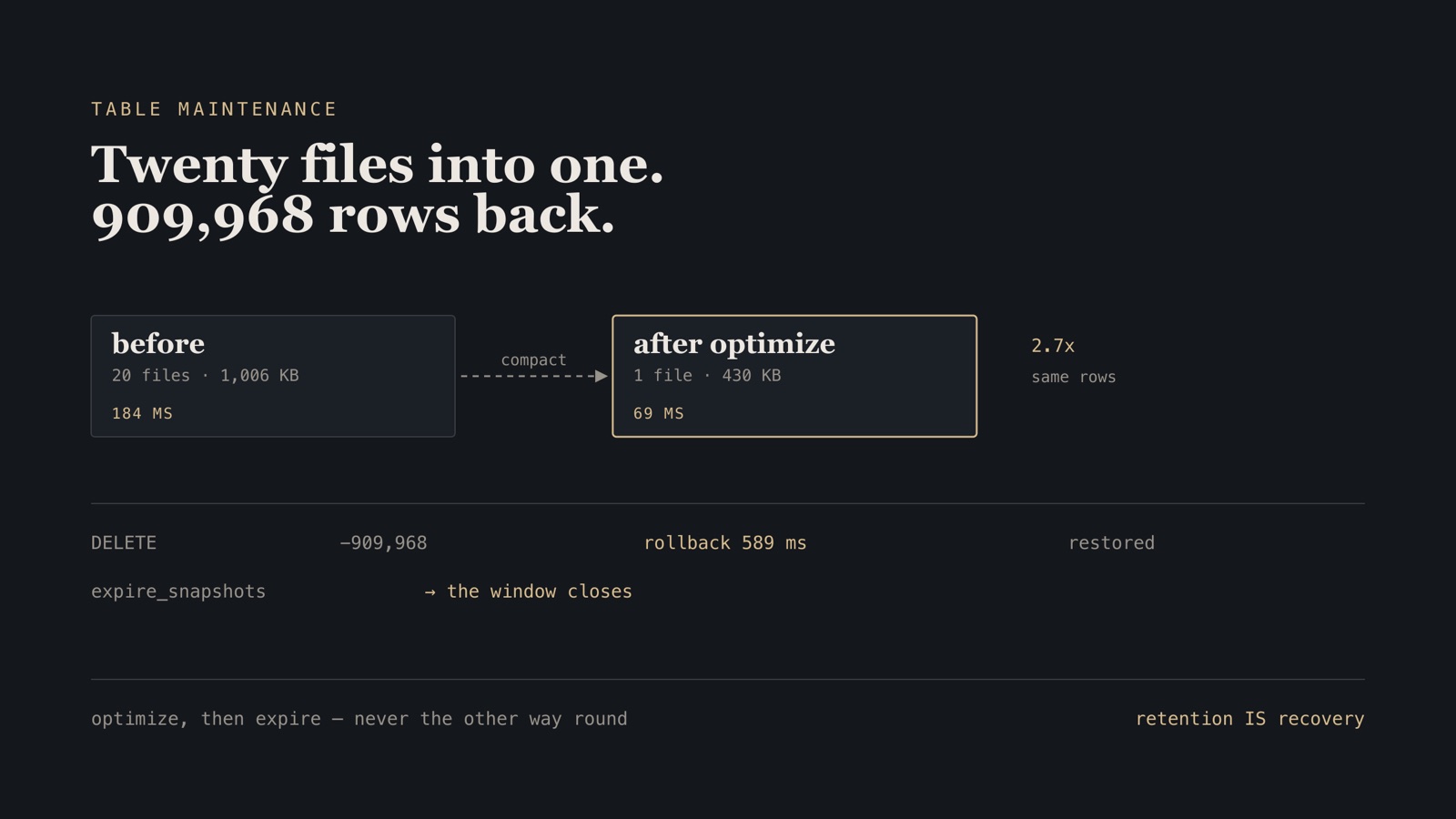
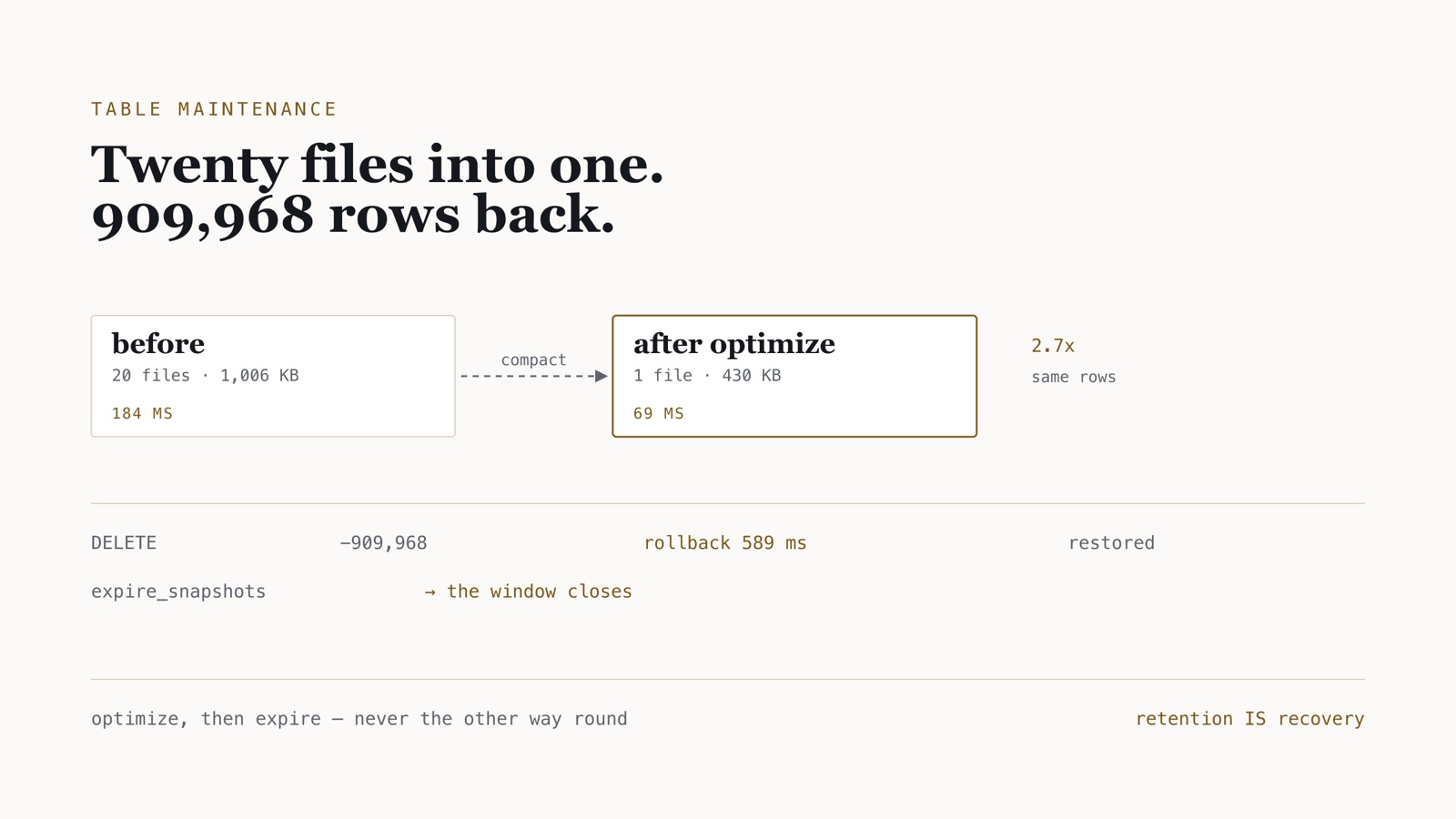
Twenty files averaging 50 KB. Every query touching that month opens twenty objects, reads twenty sets of Parquet footers, and plans twenty splits — for 100,000 rows that would fit comfortably in one.
Verify. Median query time on that partition, seven server-side runs after two warm-ups: 184 ms.
Step 2 — Compact, and measure what it bought
ALTER TABLE lakehouse.silver.orders_enriched EXECUTE optimize;
1.4 seconds.
| before | after | |
|---|---|---|
| data files in partition | 20 | 1 |
| total bytes | 1,006 KB | 430 KB |
| average file | 50 KB | 430 KB |
| median query on that partition | 184 ms | 69 ms |
The byte reduction is the part that surprised me. Compaction is usually described as a file-count fix, but total size fell 57% on identical rows — Parquet’s dictionary and run-length encodings work far better with more rows per row-group. You get the planning win and less to read.
optimize only merges files within a partition. Run against the full table — 82 partitions holding one file each — it completes successfully and changes nothing, producing no new snapshot at all. That looks exactly like a broken command. It is correct: there is nothing to combine, because compaction never merges across partition boundaries.
This is worth knowing before you schedule it, because it means a table partitioned too finely cannot be compacted out of a small-files problem. The repair there is the partition spec, not maintenance.
Verify. SELECT count(*) FROM "orders_enriched$files" WHERE partition.orderdate_month = … returns 1, and the $snapshots table has a new replace commit.
Step 3 — The accident
An over-broad DELETE — a WHERE clause that reaches years further back than intended:
-- 1,645,000 rows before this
DELETE FROM lakehouse.silver.orders_enriched WHERE orderdate < DATE '1996-01-01';
DELETE: 909968 rows
SELECT count(*) FROM lakehouse.silver.orders_enriched; -- 735,032
Just over 55% of the table, gone, committed, with no transaction to roll back.
Step 4 — Read the past, then return to it
Iceberg’s answer has two halves, and the first one is the one people forget. Before changing anything, you can read the old state:
SELECT count(*) FROM lakehouse.silver.orders_enriched
FOR VERSION AS OF 307623642966580244;
1645000
That is a read against a historical snapshot. Nothing is modified; you can diff the two, confirm the damage is what you think it is, and copy out a subset if a full rollback is too blunt.
Then the rollback:
ALTER TABLE lakehouse.silver.orders_enriched
EXECUTE rollback_to_snapshot(307623642966580244);
real 0m0.589s
SELECT count(*) FROM lakehouse.silver.orders_enriched; -- 1,645,000
909,968 rows recovered in 589 milliseconds.
That figure is wall clock around the Trino CLI — the method part one found adds ~515 ms of docker compose exec and JVM startup — so it overstates the rollback, which is a pointer update.
The speed is the point, and it is worth understanding why. No data moved. The deleted files were never removed from storage — the DELETE wrote a new snapshot that stopped referencing them. Rolling back rewrites the current-snapshot pointer in the catalog to an earlier manifest list. Compare the point-in-time restore in the pgBackRest lab, which had to physically restore a backup and replay WAL: its restore command alone took 4.2 s, before replay. More to the point, a rollback’s cost does not grow with the data. A restore’s does.
Verify. Row count matches the pre-incident total exactly, and $snapshots shows the rollback as the current snapshot.
Step 5 — Where the safety net ends
The files survived the DELETE because a snapshot still referenced them. So the obvious question is what happens when that snapshot goes away.
Trino will not expire anything younger than seven days unless the session lifts that floor, so start the CLI with it lifted — the callout below explains the floor, and why the name its error message gives you does not work:
trino --session lakehouse.expire_snapshots_min_retention=0s
ALTER TABLE lakehouse.silver.orders_enriched
EXECUTE expire_snapshots(retention_threshold => '0s');
Snapshot count went from 25 to 1. Then:
SELECT count(*) FROM lakehouse.silver.orders_enriched
FOR VERSION AS OF 307623642966580244;
Query … failed: Iceberg snapshot ID does not exists: 307623642966580244
That is the whole lesson in one error message. expire_snapshots is the operation that destroys your ability to undo. Compaction leaves the old files behind, still referenced by history; expiry is what actually releases them, and it takes the rollback with it.
Which means the retention threshold is not a housekeeping setting. It is your recovery window, exactly as a pgBackRest retention policy is, and it should be chosen by the same conversation: how long before someone notices a bad load?
Trino guards this with a 7-day floor. Asking for less returns:
Retention specified (1.00m) is shorter than the minimum retention configured
in the system (7.00d)
Overriding it needs a session property — and the full error message tells you to set iceberg.expire_snapshots_min_retention. That iceberg. prefix is hardcoded in Trino’s message whatever your catalog is called, which is an upstream bug: the property must be namespaced by your catalog. My catalog is called lakehouse, hence the lakehouse. prefix at the start of this step.
Using the name from the error message gets Catalog 'iceberg' not found.
Step 6 — Order the maintenance correctly
Both operations belong on a schedule, and the order is not arbitrary:
@task
def maintain() -> dict[str, int]:
    """Compact, then expire.

    `optimize` writes new compacted files and leaves the originals behind,
    still referenced by older snapshots. Expiring afterwards is what actually
    releases them. Run expire first and compaction's own garbage stays until
    the next cycle.
    """
    _run("ALTER TABLE … EXECUTE optimize")
    _run("ALTER TABLE … EXECUTE expire_snapshots(retention_threshold => '7d')")
In this lab maintain runs on every pass so the effect is visible quickly. In production it belongs on its own schedule: compaction rewrites files and competes with the pipeline for the same workers, and there is no reason for it to contend with the load it is cleaning up after.
Failure modes
| Symptom | Cause | Repair |
|---|---|---|
optimize succeeds, nothing changes |
One file per partition already | Nothing to fix; check the partition spec instead |
| Queries slowing with no query change | Small files accumulating | Schedule optimize, measure $files count |
Retention specified … shorter than the minimum |
Trino’s 7-day floor | Session property namespaced by catalog name |
Catalog 'iceberg' not found |
Used the hardcoded iceberg. prefix from the error text |
Use your catalog’s actual name |
Iceberg snapshot ID does not exists |
Snapshot already expired | Nothing to do — the window has closed |
Storage growing despite optimize |
Old files still referenced by history | expire_snapshots, after compaction |
Clean up and operating consequence
docker compose down -v
Three rules came out of this, and only one of them is about performance.
Compaction is a query-latency control, and it is cheap. 1.4 seconds to take a partition from 184 ms to 69 ms, and to shed 57% of its bytes. It should be scheduled from the day the table exists, not the day someone complains.
optimize cannot fix a bad partition spec. It never merges across partitions, so a table partitioned by day when it should be by month has a small-files problem that maintenance cannot reach.
Retention is a recovery policy, not housekeeping. The rollback in step 4 took 589 ms of wall clock and recovered 909,968 rows — but only because the snapshot still existed. Whoever sets expire_snapshots(retention_threshold => …) is deciding how long you have to notice a mistake, and that is a decision worth making on purpose rather than inheriting from an example config.