Problem and decision
ProblemDocumentation describes expected failover; I wanted current, measured evidence of what six engines actually preserved, promoted, and exposed after a primary or node disappeared.
DecisionRun one reproducible cluster at a time, seed known state, inject a specific fault, and record promotion, recovery, and data-survival evidence.
Scope
- Team
- One person
- Scale
- Docker on 8 CPU / 12.5 GB; nine compose stacks, brought up one at a time to fit RAM
- Links
- Source
Measured results
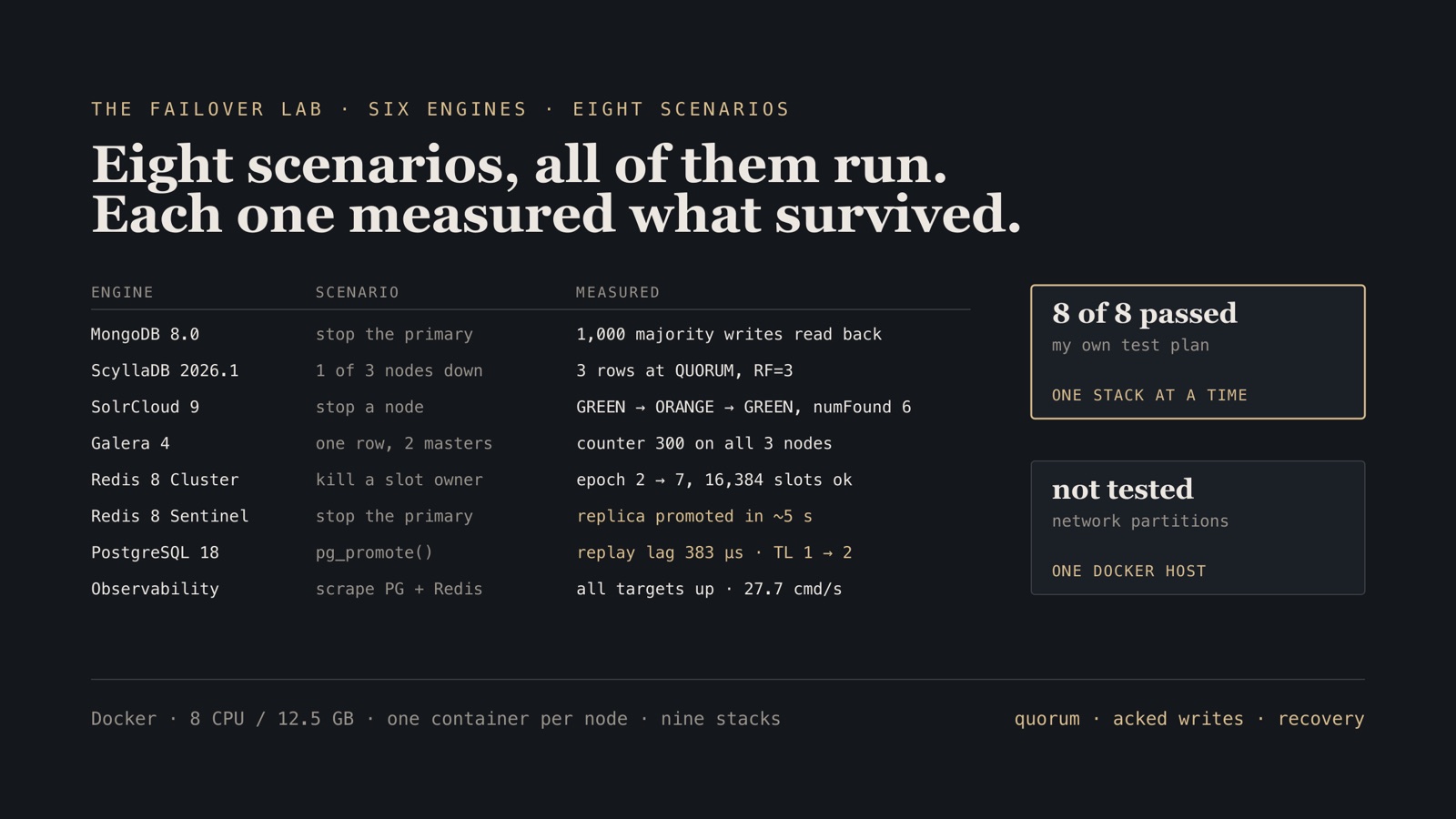
- 8 of 8 failover scenarios passed my own test plan, executed on Docker with 8 CPU / 12.5 GB · 2026
- 383 µs replay lag measured on one host a single pg_stat_replication reading with primary and hot standby on the same machine — loopback, no network, so it is a floor for the configuration rather than a latency anyone should expect across hosts
- ~5 s Redis Sentinel primary promotion wall-clock from `docker stop` of the primary to a writable replica

- Provision Docker · Vagrant · QEMU One reproducible cluster, pinned versions, stated resource ceiling.
- Seed known dataset Write verifiable state and capture the baseline before touching anything.
- Fault SIGKILL · partition Kill the primary badly. A graceful stop tests a different code path.
- Measure wall clock · engine metrics Promotion time, data survival, and what the survivors disagreed about.
Context
This is a lab, not a production system, and I would rather say that in the first sentence than bury it. It is a rig I built to re-earn hands-on failover knowledge across engines I do not run daily — by killing processes and reading what came back, rather than quoting a docs page.
Constraints
One host, 8 CPU and ~12.5 GB of RAM, which is why each cluster came up, got exercised and got torn down one at a time. No cross-engine load test. No real network partitions — a single Docker host cannot give you one. 2026 engine versions throughout, which meant meeting each version’s current surprises rather than the ones in older tutorials.
Architecture
Nine Docker Compose stacks: mongo-ha, mongo-shard, scylla-ha, solr-ha, galera-ha, redis-cluster, redis-sentinel, pg-replication, observability. Each stands up a real multi-node cluster, gets seeded, gets broken deliberately, and gets checked for what survived.
Decisions and trade-offs
| Decision | Alternative considered | Why | What it cost us |
|---|---|---|---|
| Docker Compose on one host | A VM per node in the cloud | Quorum, election and promotion behavior is observable at this scale, at zero cost | Node-level network partitions and disk failure are not testable at all |
| One cluster at a time | Everything up simultaneously | 12.5 GB of RAM | No contention testing; every result is an isolated run |
docker kill rather than graceful stop |
Graceful shutdown | Ungraceful loss is the case that actually breaks quorum, and the difference is the whole lesson | Slower resets; some engines needed manual recovery |
| Current 2026 versions | Older LTS releases | I wanted today’s failure modes | Version-specific traps cost real time (see below) |
Results
8 of 8 scenarios in my own test plan passed. I wrote the plan, so the pass rate measures execution, not difficulty — owning that is more useful than implying an external benchmark. Which is also why the table below reports what each engine measured rather than a PASS column: a constant column carries about one bit, and the numbers are the part you can argue with.
| Engine | Topology | What I did to it | Measured | Result | What it taught me |
|---|---|---|---|---|---|
| PostgreSQL18 | Primary + hot standby | pg_promote() | 383µsreplay lag | replay lag 383 µs | Timeline advanced 1 → 2 on promotion. write_lag measured 104 µs on the same run. |
| Redis8 | Sentinel, quorum 2 | SIGKILL primary | ~5sto writable | promoted in ~5 s | Old primary was auto-demoted to replica on rejoin rather than fighting for the role. |
| Redis8 | Cluster, 3 primaries + 3 replicas | SIGKILL primary | 2 → 7config epoch | 0 keys lost | All 16,384 slots stayed covered. No acknowledged write was lost. |
| MariaDB + Galera11.8 | 3-node multi-master | 150 concurrent cross-master UPDATEs | 300converged on all 3 | 300 / 300 / 300 | Certification failures logged on two nodes — the counter still agreed everywhere afterwards. |
| MongoDB8.0 | 3-node replica set, 2 shards | 100,000 docs on a hashed key | 49,607 / 50,393shard split | 49,607 / 50,393 | A targeted query hit one shard; an unqualified filter scatter-gathered to both. |
| ScyllaDB2026.1 | 3-node, RF=3, 256 vnodes | Node loss at QUORUM | 3 / 3replicas held key | reads served at RF=3 | Restore needed the live table's upload/ subdirectory; files anywhere else load nothing, with exit 0. |
| SolrCloud9 | ZooKeeper + 2 nodes, 2×2 | Node loss | 6numFound, still served | kept answering | Cluster went ORANGE, kept answering, and returned to GREEN unattended. |
| Prometheus + Grafana | Exporters per engine | Golden signals | 500 / 500keyspace hits/misses | all engines observed | Every engine above was observed through the same dashboard rather than by hand. |
| Network partition | — | Asymmetric partition | not testableon one host | untested | One Docker host cannot produce a split network. Every failover above is process death, not partition — and partition is the case that actually causes split-brain. This row is the limit of the rig. |
The last row is the limit of the rig, not a result. One Docker host cannot produce a split network, so every failover here is process death — and partition is the case that actually causes split-brain.
What went wrong
The passes are the boring part. These three cost the most time, and each one is a version-specific trap that no documentation page warned me about.
-
ScyllaDB
The third node would not start, and the error was about the kernel
Two nodes came up fine. The third died on
system does not satisfy minimum AIO requirements— Seastar reserves async I/O contexts per reactor, and the Docker VM’sfs.aio-max-nrceiling fit two of them. It is a VM-wide sysctl, and it does not survive a Docker Desktop restart. -
ScyllaDB
A valid snapshot restored zero rows, with no error
nodetool refreshonly reads the live table’supload/subdirectory: files beside the live SSTables, or in a dropped table’s stale UUID directory, load nothing and exit 0. A TRUNCATE does not get in the way; I first blamed it, and a re-test on 2026.1 showed the truncated table restores normally. -
PostgreSQL 18
Every compose file copied from a PG 12–17 guide breaks
The image wants the volume at
/var/lib/postgresqlwith PGDATA in an18/dockersubdirectory, not at/var/lib/postgresql/data. The change exists sopg_upgrade --linkcan work. The failure mode is a container that starts and then refuses the mount.
Running it
Nothing runs continuously — a stack goes up, gets exercised, comes down. The three traps that cost the most time: ScyllaDB’s third node refused to start until fs.aio-max-nr was raised on the Docker VM; Solr backups returned “access denied” until the location was in solr.allowPaths and owned by the solr user; and PostgreSQL 18 rejects a volume at /var/lib/postgresql/data, wanting the mount at /var/lib/postgresql with data in an 18/docker subdirectory.
What I’d do differently
No sustained load. Every failover happened on an idle cluster, which is the easy case. A background writer during the kill would make the numbers mean considerably more.
Partitions were simulated, not real. One host means I tested process death, not a split network. A second machine plus tc/netem would test the case that actually causes split-brain.
It should have been one script. Several runs were hand-driven, so reproducing a result means re-reading my own notes.
Each scenario is being written up properly, with commands and output, in the tutorial series.
Related work
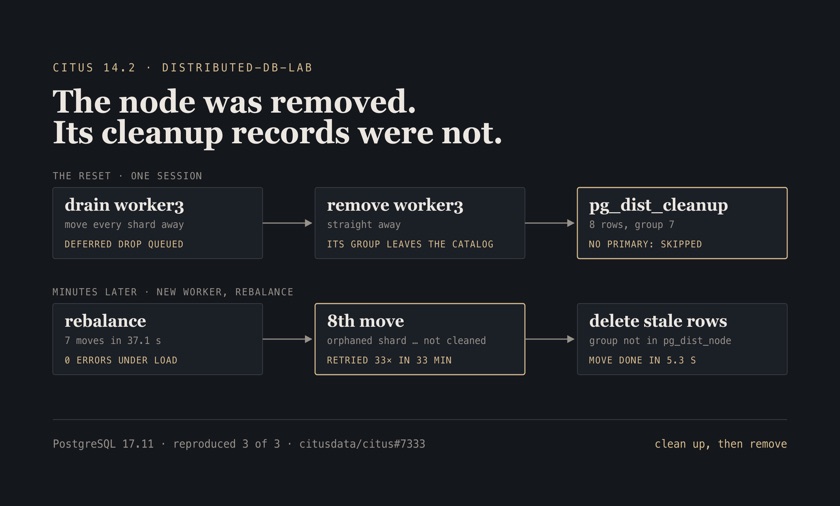
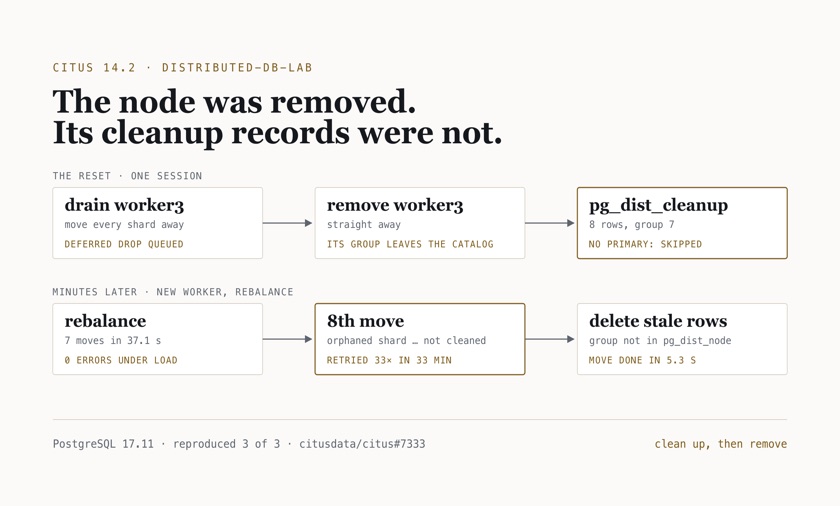
All case studiesSharding Postgres with Citus, measured against TimescaleDB and ClickHouse
Author
A schema that refused to distribute six ways, a tenant whose shard was 7.4× the median, and a rebalance under live writes
0 errors while a worker joined and 7 shard groups moved under load8 client threads for 600 s, 80% one-tenant reads and 20% single-row inserts against the Citus coordinator; every acknowledged write counted back afterwards · measured Oct 2026
4.2× faster join co-located than repartitionedthe same join over tenants 1–400, both returning 617,895 rows; p50 of 7 runs, 1,251.7 ms co-located on (tenant_id, user_id) vs 5,206.0 ms against a copy distributed by user_id · measured Oct 2026
Citus · PostgreSQL 17 · TimescaleDB · ClickHouse · ClickHouse Keeper · Docker Compose
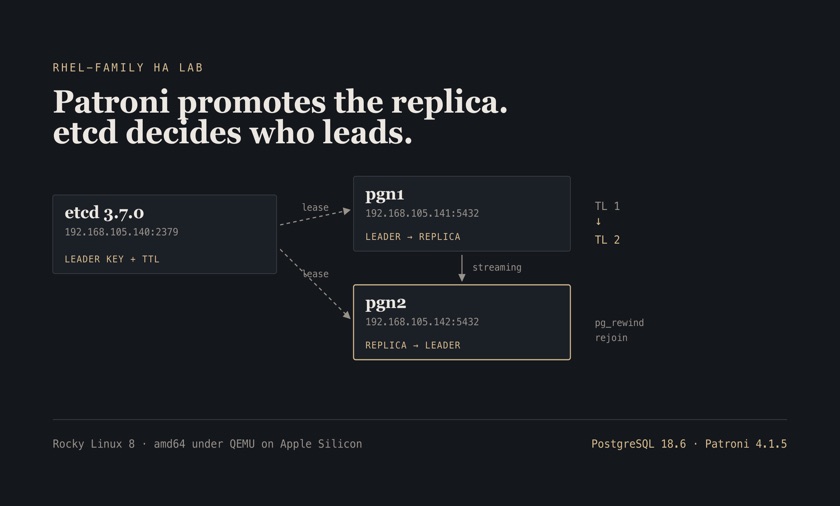
Orchestrated failover and a restore I actually performed
Personal lab
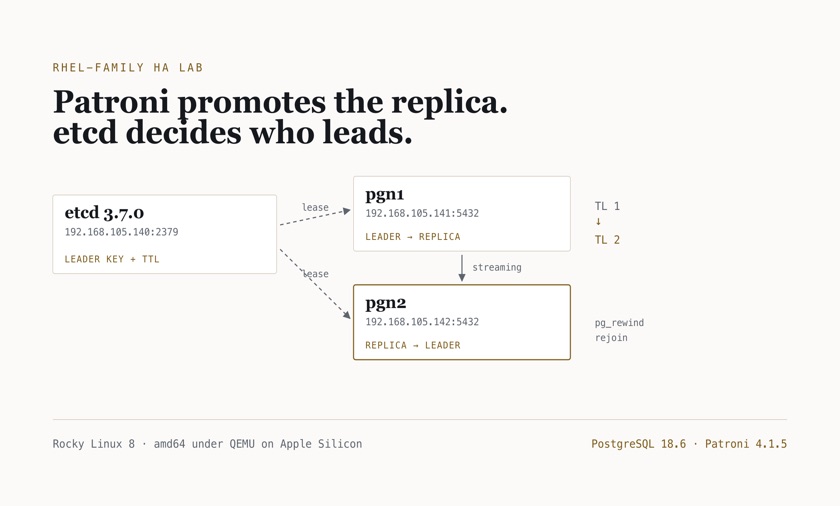
A production-shaped Postgres cluster on amd64 VMs: killed the primary, rebuilt the replica, recovered a dropped table
10–20 s observed promotion window after SIGKILLSIGKILL of the Patroni leader, then patronictl polled every 10 s until the survivor showed as Leader — so 10 s is the measurement resolution, not the precision of the result · 2026
~5 s replica rebuilt from backuppatronictl reinit; the pgBackRest restore itself logged 5,020 ms, then Patroni reported the replica created · 2026
PostgreSQL · Patroni · etcd · pgBackRest · Ansible · Rocky Linux
Continue the conversation
See the full career record, or get in touch about a senior data, platform, or AI engineering role.